Before setting up Geofencing, you need to connect your iSmartgate to SmartThings. Follow our guide here: How to connect iSmartgate to SmartThings
Once your iSmartgate is connected to SmartThings, follow these steps to set up Geofencing:
1) Set up your home location: In the SmartThings app, go to Settings → Location Settings. Make sure your address is correct, and define a Geofence radius (150–300 m recommended).
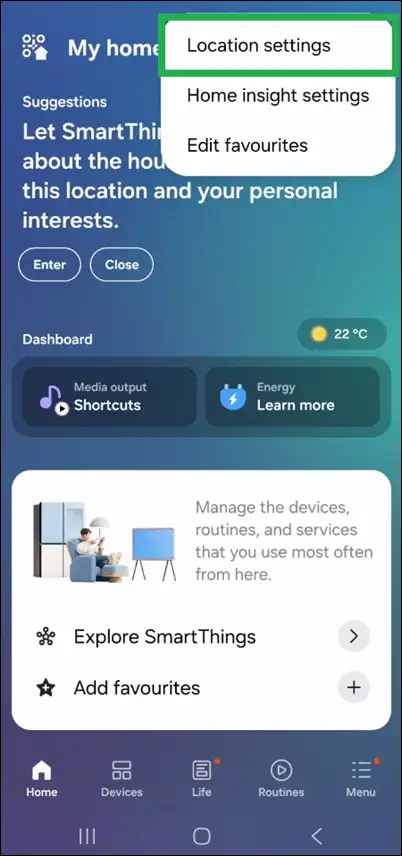
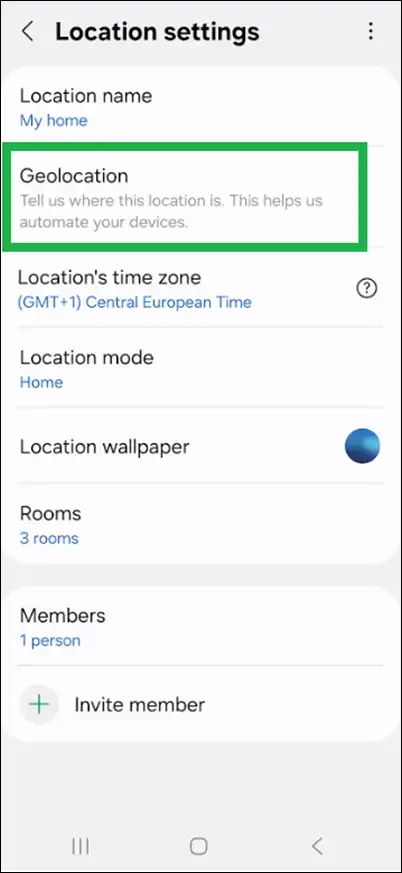
2) Enable location access: Make sure your phone’s location services are on and SmartThings has “Always” access to your location.
3) Create the Geofencing automation:
- Go to Devices → Select the iSmartgate door → Routines → Add Routine
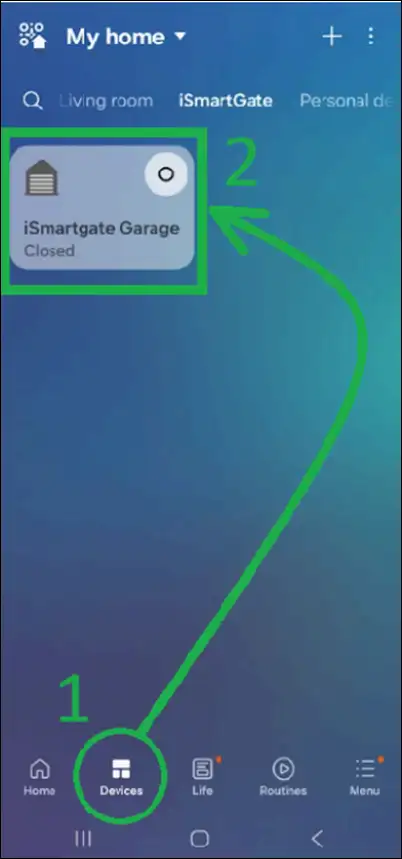
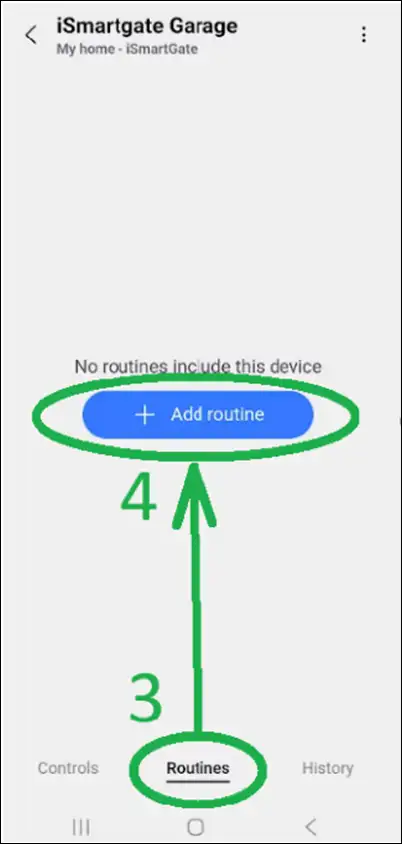
- Configure the Routine (IF):
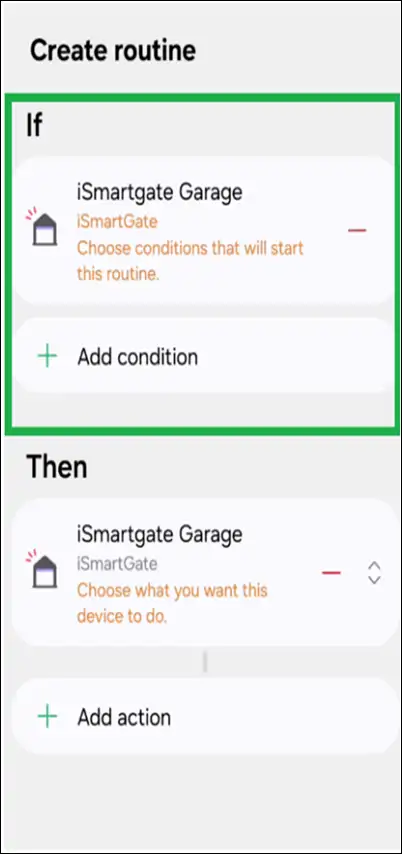
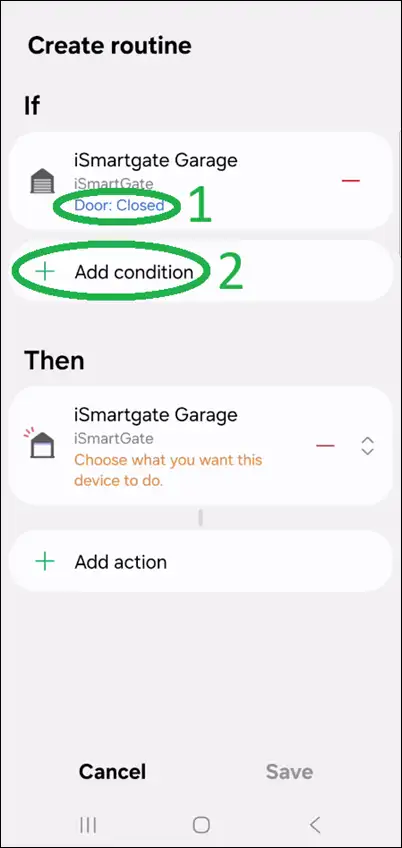
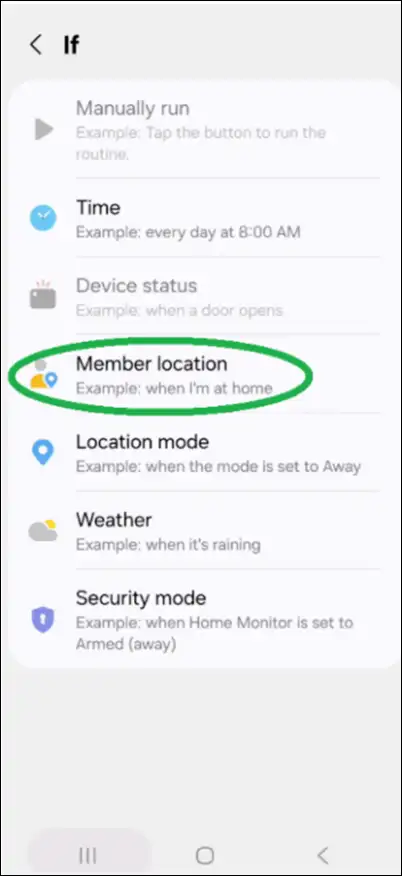
- Select Add Condition → Member Location
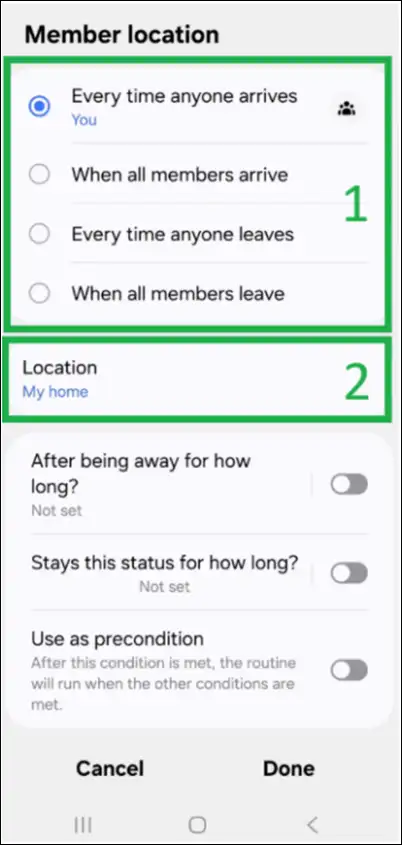
- Choose Every time anyone arrives (to OPEN the door), or Every time anyone leaves (to CLOSE the door) → Location: My home
- Set the action (THEN): select your iSmartgate device, then choose OPEN or CLOSE.
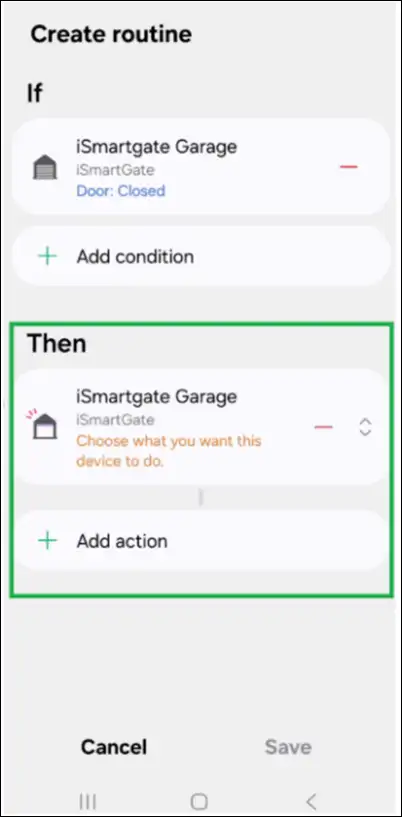
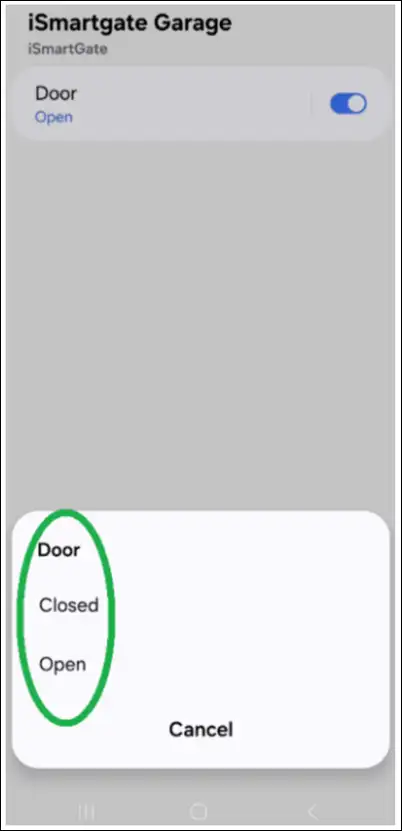
- Once you have selected the preferred option (OPEN or CLOSE), your routine should look similar to the example below:
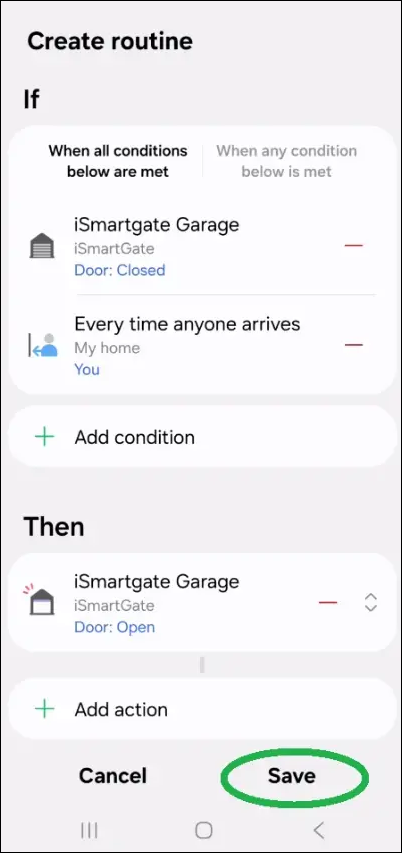
- Select Save to confirm the settings. Geofencing should now be active.